
Booking that gets out of your way
Take bookings, run your day, all from your phone. For salons, clinics, studios, and consultants. Up and running in 5 minutes.
14-day free trial · No credit card required · Cancel anytime
Booking that gets out of your way. For salons, clinics, studios, and consultants.
Don’t waste your time on the same questions.
- 01“Anything free on Friday?”
- 02“How much is a haircut?”
- 03“Can I move to three instead?”
Your page answers all three before anyone types. Open times, prices and your work are right there, and the booking lands in your calendar.
Your booking page
Let clients book themselves
Clients see your open times, prices and work, then book a slot without messaging you first.


Ready from day one
Pick one of four designs: Forest, Dark, Sand or Rose. You can change it any time.
No app or sign-up
Clients open your page, choose a time and book. Nothing to install, no account needed.
Show more, answer less
Add your work, service photos and answers to common questions, so clients can find what they need.
Your business in one app
01
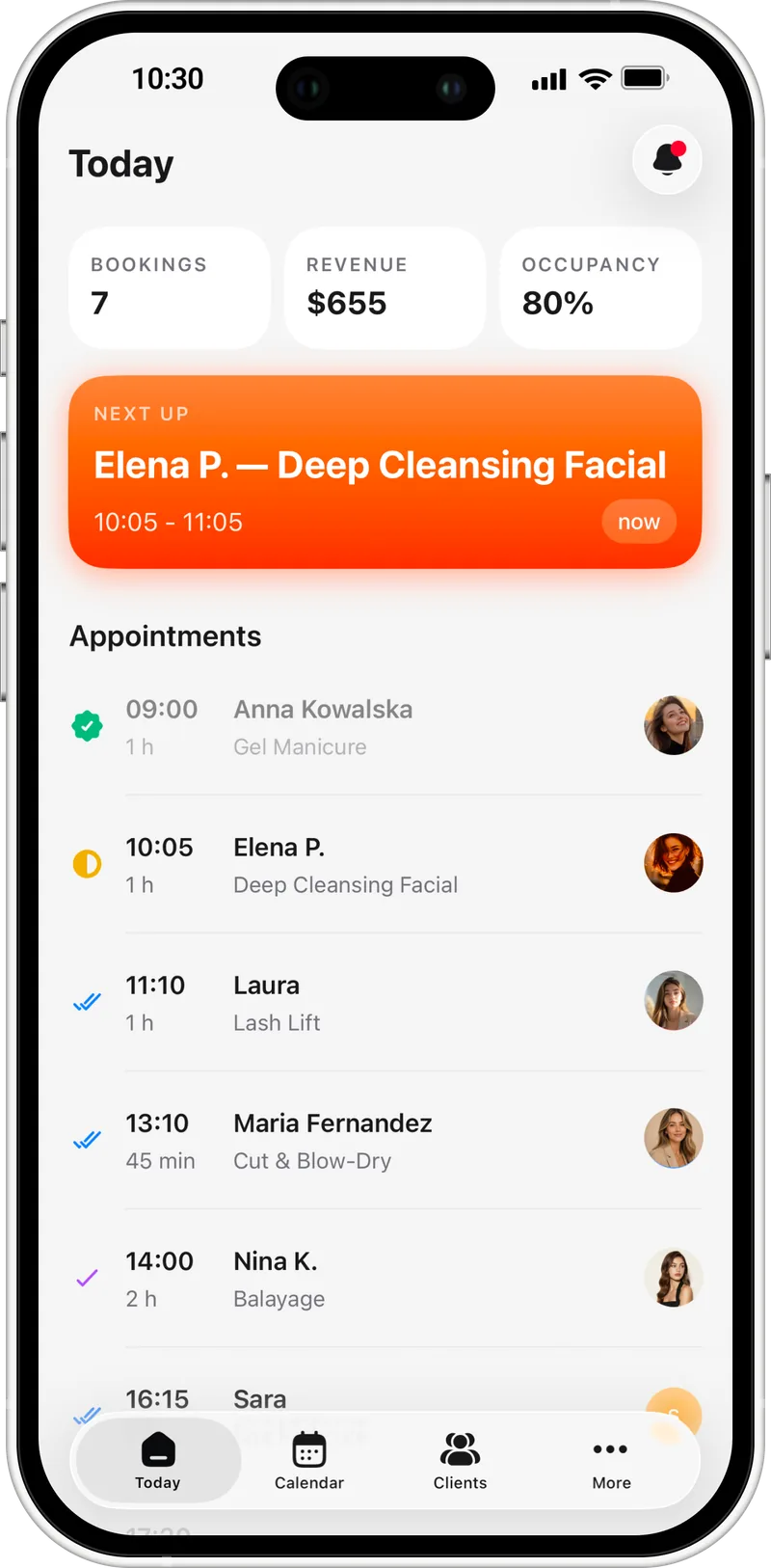
Your day at a glance
Open the app and see who's next, today's bookings, revenue, and how full your day is.

02
A calendar built for busy hands
Your day as a timeline. Drag an appointment to a new time. Block out lunch, a break, or a day off with a tap.

03
Every client, remembered
Visit history, total spend and contacts on one card. Call or message a client in one tap.

04
Fewer no‑shows
Clients get a confirmation when they book and a reminder before the visit. Mark a no-show in one tap and it stays in their history.

05
Booking on your terms
Pause online booking when you need to, and choose how far ahead clients can book and until when they can cancel.

06
Edit your page in a few taps
Change the cover, photos and texts right on your booking page, from your phone.

07
Your day, summed up
At closing, the day adds itself up: what you finished, what you earned and how full you were.

Features that make daily work easier
Your booking link
Choose a memorable name. Clients will use this link to book with you.
Widgets for your Home Screen and Lock Screen
See today's appointments without opening the app.
Push for every change
Bookings, cancellations and reschedules, as they happen.
Seasonal hours
Set summer or holiday hours in advance. They switch on by themselves on the dates you pick.
17 languages
The app, your page and the emails your clients receive.







5min
Most owners go from download to their first shared link in 2 to 5 minutes.
01
Create your account
Sign up, tell us about your business and choose your link.
02
Set services and hours
What you do, how long it takes, when you're open. Skip what you don't need.
03
Share your booking link
Instagram bio, WhatsApp, any social page. From then on, new bookings will come straight to your app.
Pricing
Everything you need to work, in one plan.
Starter
$199.99 $99.99 billed once a year
- Branded booking page
- Unlimited bookings
- Calendar & scheduling
- Client management
- Mobile app to manage it all
- Email reminders
- Portfolio and photos for every service
14-day free trial · No credit card required · Cancel anytime
Get your branded booking page
Bring your service list, your hours, and your business name. Leave with a working booking page.